How to Make a Pull Request (PR) for Code Review
Introduction
A Pull Request (PR) is a way to submit code changes for review before merging them into the main codebase. It helps teams collaborate, maintain code quality, and catch issues early.
This wiki article explains how to create an effective PR for code review and outlines best practices to make the review process smooth and efficient.
Why Pull Requests Matter
- Improve overall code quality
- Encourage collaboration and knowledge sharing
- Catch bugs early
- Keep the main branch stable and clean
Before Creating a PR (Checklist)
Ensure the following before raising a PR:
- Code builds and runs successfully
- All tests pass locally
- Latest changes are pulled from the base branch
- Code follows team coding standards
- No unnecessary files, logs, or commented code included
Step-by-Step: Creating a Pull Request
1. Create a New Branch
Always work on a separate branch.
git checkout -b Cxperts_marmot_new24052_pdpRedesign
Recommended branch prefixes:
Cxperts/– Client Namemarmot/– Website Namenew24052/– Test IDpdpRedesign/– Test Name
2. Make Small and Meaningful Commits
- Keep commits focused on a single change
- Write clear and descriptive commit messages
Good example:
fix: handle null response in user service
Bad example:
changes
3. Push Your Branch
git push origin Cxperts_marmot_new24052_pdpRedesign
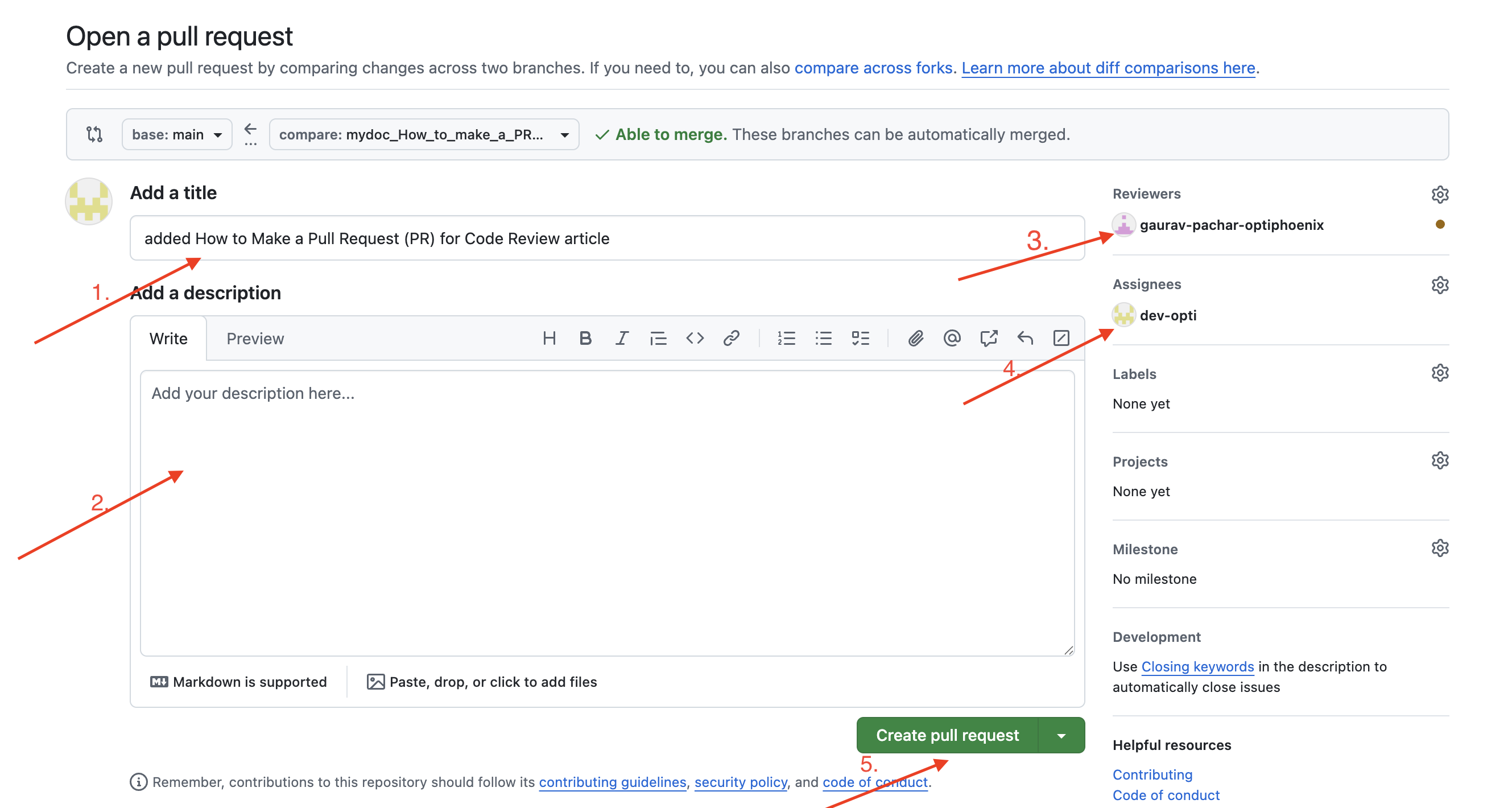
4. Create the Pull Request
- Go to the repository (GitHub / GitLab / Bitbucket)
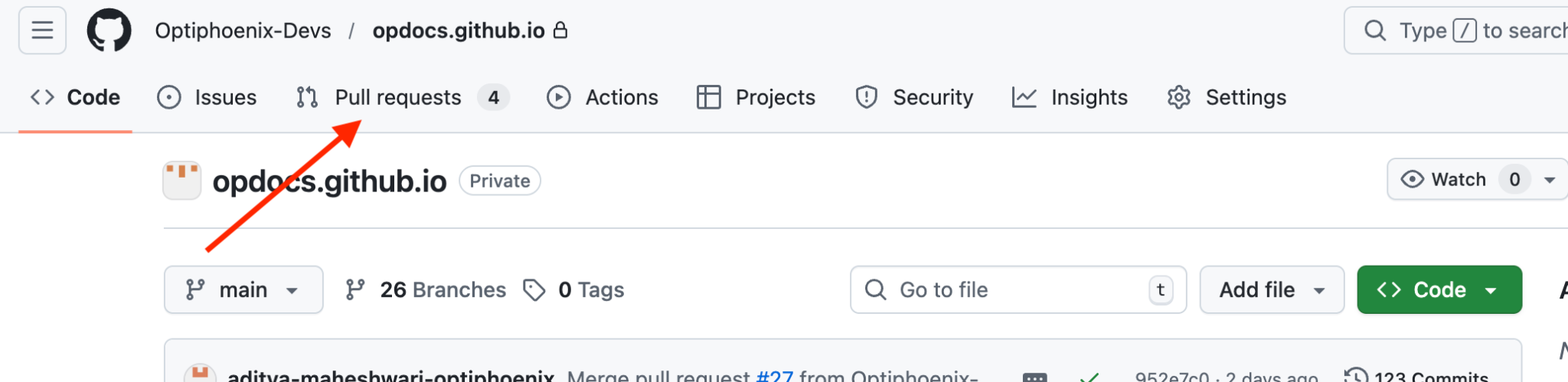
- Click on Pull requests in navbar
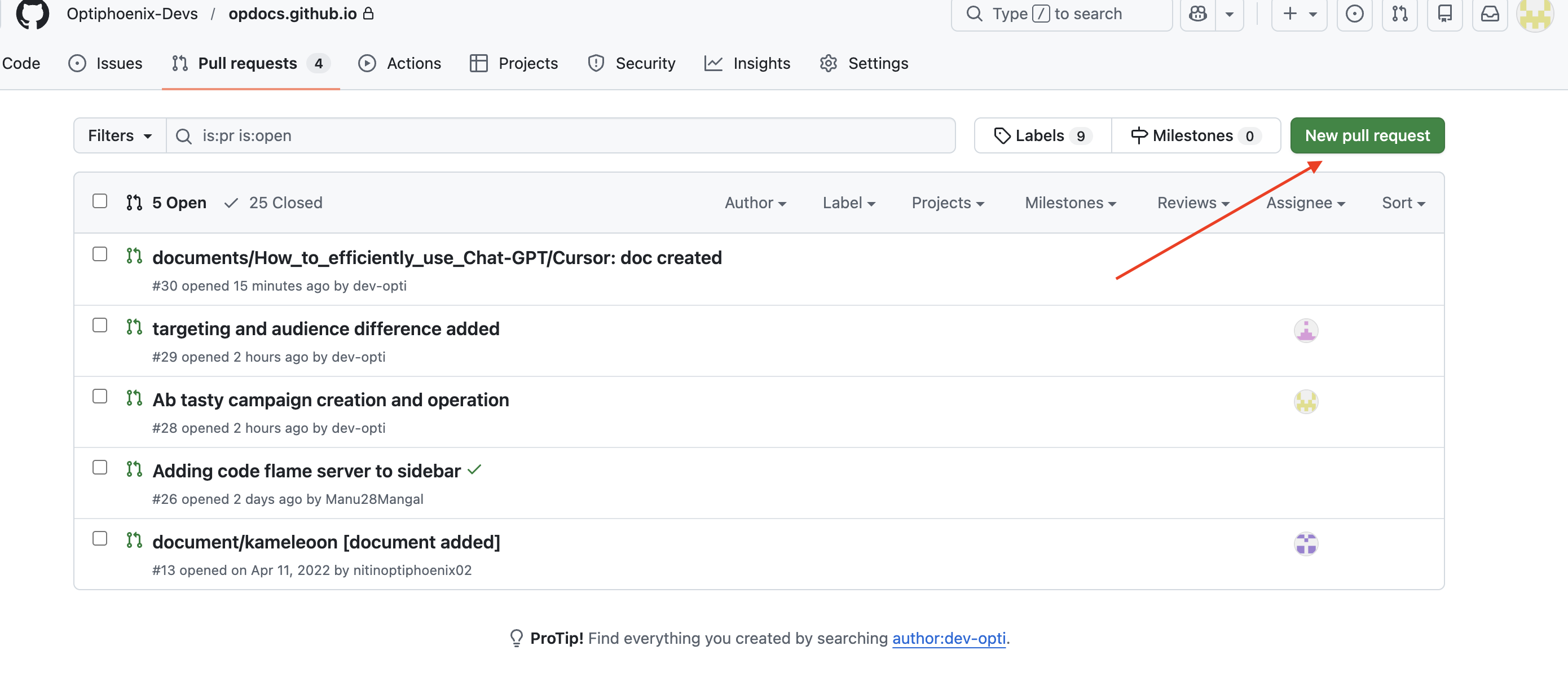
- Click on New Pull Request
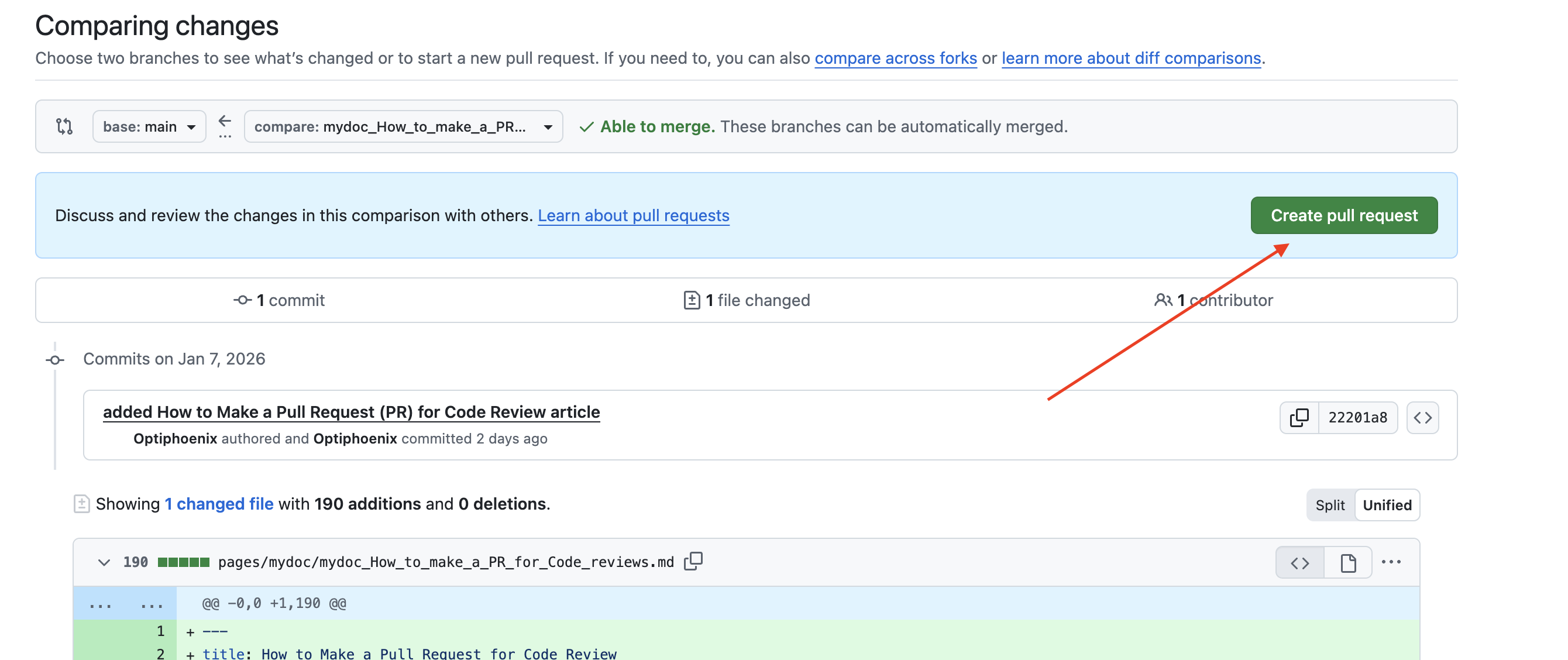
- Click Create Pull Request
-
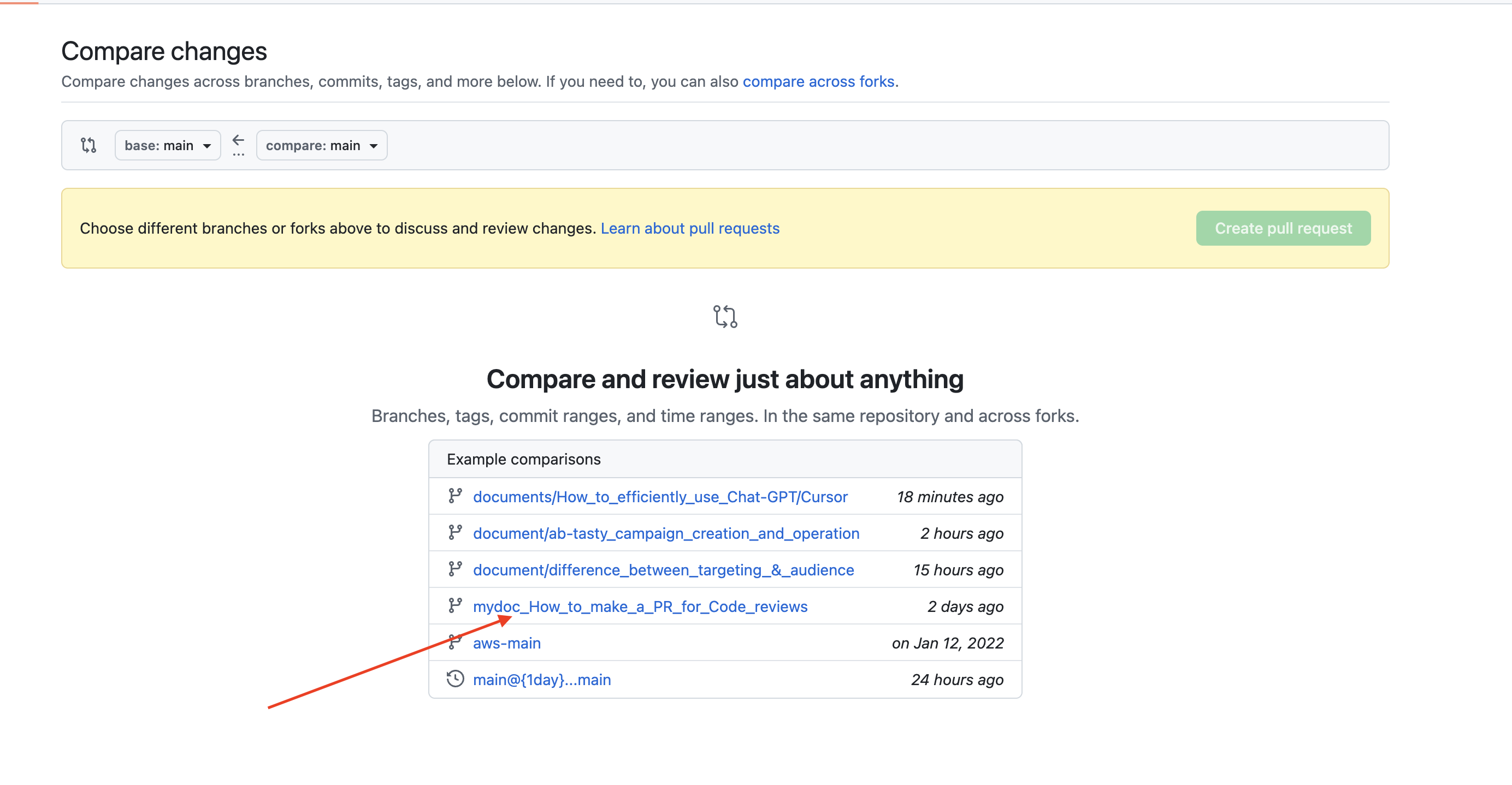
Select the correct base branch (e.g.,
mainordevelop) -
Select your newly created branch as the compare branch
- Then
- Add Title
- Add Description
- Select code reviewer
- Select assignee(Assign yourself mostly)
- Finally click on create pull request
Writing a Good PR Title
A PR title should clearly describe the change.
Good examples:
Add validation for signup APIFix crash when password is empty
Avoid:
UpdateBug fix
Writing a Good PR Description
Suggested PR Description Template
## What does this PR do?
Brief summary of the change.

## Why is this change needed?
Explain the problem or requirement.

## How was this tested?
- Unit tests
- Manual testing steps

## Screenshots (if applicable)
Attach screenshots or recordings.

## Checklist
- [ ] Code builds successfully
- [ ] Tests added or updated
- [ ] No breaking changes
Making PRs Easy to Review
Best Practices
- Add comments for complex logic
- Remove unused or dead code
Handling Review Feedback
- Respond politely and professionally
- Ask for clarification if feedback is unclear
- Make changes in new commits
- Avoid force-pushing unless required
Updating the PR
After addressing review comments:
git add .
git commit -m "address review feedback"
git push origin Cxperts_marmot_new24052_pdpRedesign
The PR will update automatically.
Common Mistakes to Avoid
- Missing or unclear descriptions
- Ignoring review comments
- Submitting untested code
When Is a PR Ready to Merge?
A PR is ready when:
- All required reviewers approve it
- CI / automated checks pass
- No unresolved comments remain
- Branch is up to date with the base branch
Conclusion
A Pull Request is more than just a code submission—it is a communication tool. Clear titles, detailed descriptions, and well-structured commits make code reviews faster, easier, and more effective for the entire team.