AB PhoenixGuard: Streamlining A/B Test QA with a Chrome Extension
Introduction
In the world of digital marketing and product optimization, A/B testing has become an essential tool for making data-driven decisions. However, debugging and verifying A/B tests can be a time-consuming and frustrating process. Enter AB PhoenixGuard, a powerful Chrome extension designed to simplify A/B test debugging and QA workflows for platforms like Convert and Optimizely.
The Problem: A/B Test Debugging Challenges
When working with A/B testing platforms, QA engineers and developers often face several challenges:
-
Hidden Experiment Data: A/B test data is typically buried in JavaScript objects or network requests, making it difficult to quickly identify which experiments are active
-
Variation Verification: Manually checking which variation a user is seeing requires digging through browser console or cookies
-
Goal Tracking: Understanding which goals are being triggered and when requires monitoring network traffic or complex debugging tools
-
Cross-Platform Complexity: Different A/B testing platforms (Convert, Optimizely, VWO) have different APIs and data structures, requiring platform-specific knowledge
-
Time-Consuming Workflows: Traditional debugging methods involve multiple steps: opening DevTools, checking console, inspecting network requests, and parsing cookies
The Solution: AB PhoenixGuard
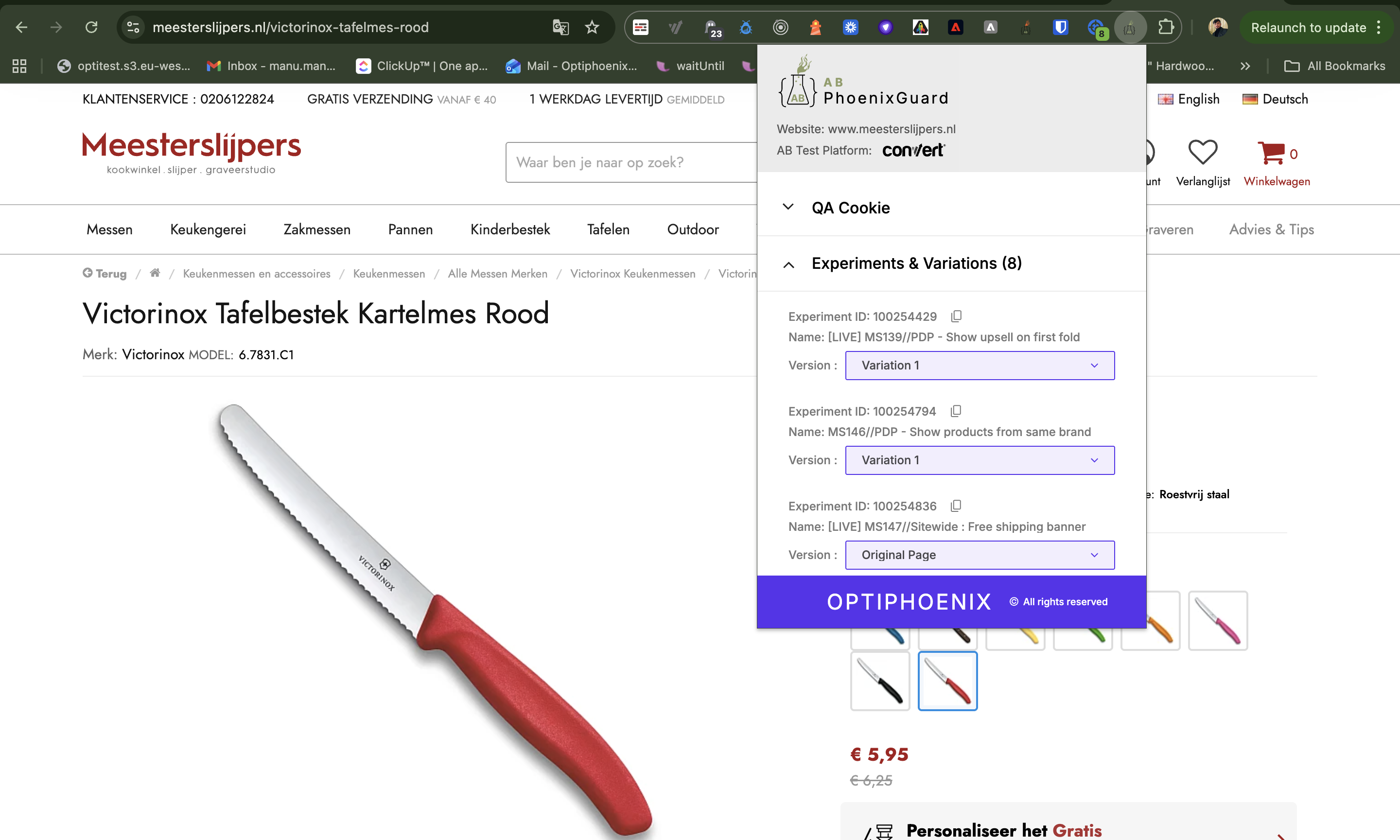
AB PhoenixGuard is a Chrome extension that provides a unified interface for debugging A/B tests across multiple platforms. It automatically detects active experiments, displays variations, tracks goals, and provides tools for QA testing—all in a convenient popup interface.
Key Features
1. Automatic Platform Detection
The extension intelligently detects which A/B testing platform is active on a webpage:
- Multi-Platform Support: Works seamlessly across different platforms without manual configuration
2. Real-Time Experiment Visualization
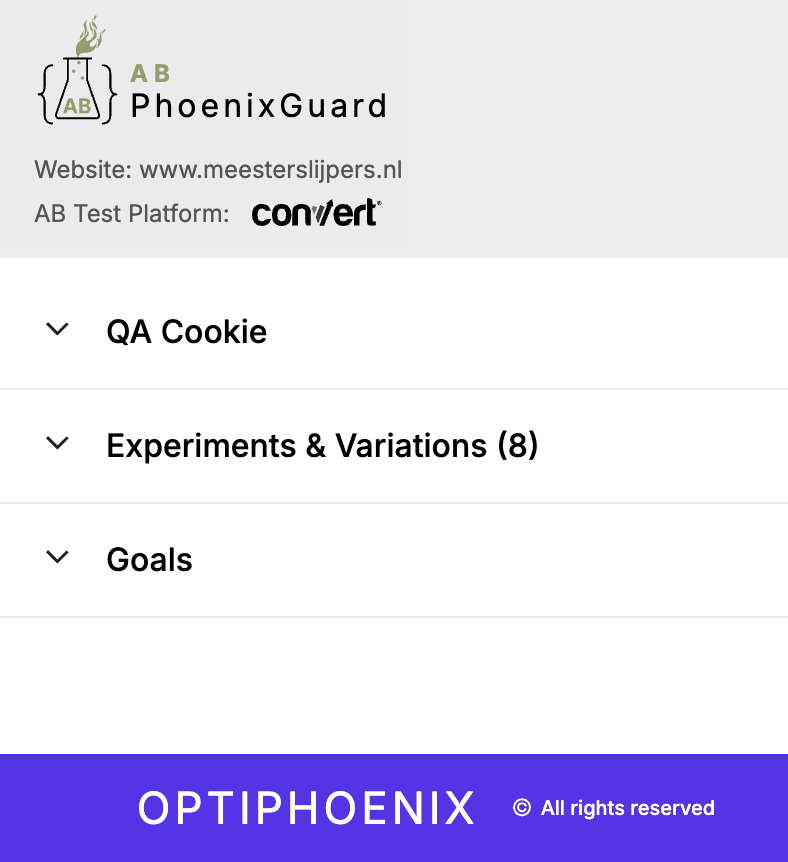
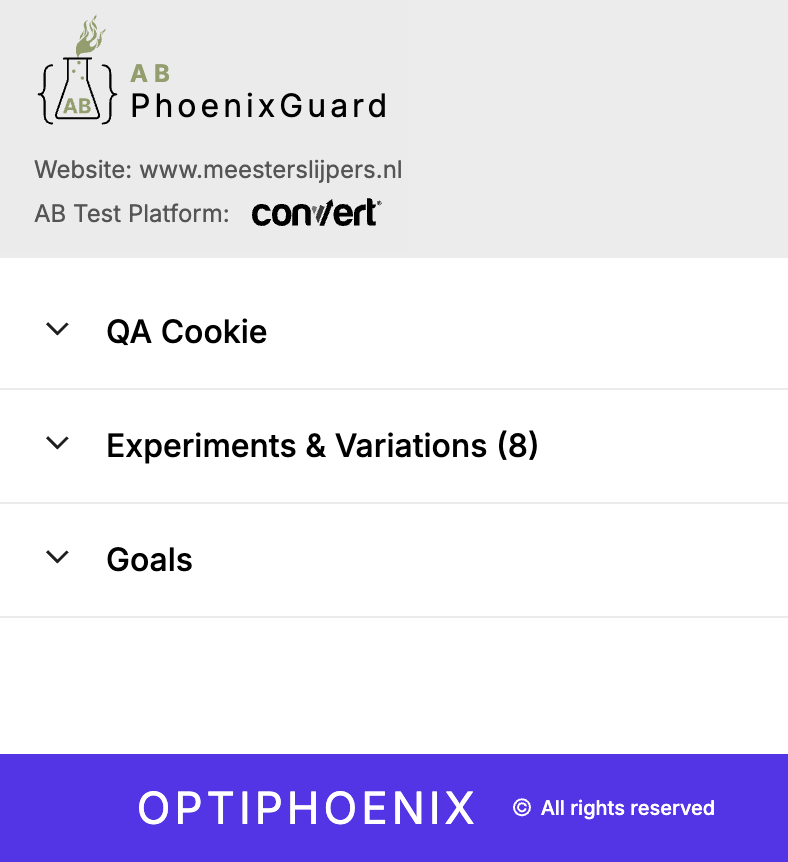
Once installed, simply click the extension icon to see:
- Active Experiments: A list of all running experiments on the current page
- Variations: Which variation is currently active for each experiment
- Experiment Details: Complete information about each test, including IDs, names, and status
3. Goal Tracking
The extension tracks and displays:
- Triggered Goals: Real-time monitoring of conversion goals
- Goal Events: Detailed information about when and how goals are fired
- Optimizely Goal Tracking: Special handling for Optimizely’s event system, including XMLHttpRequest interception
4. QA Cookie Management
A built-in QA cookie feature allows testers to:
- Set specific experiment variations for testing
- Force specific variations without relying on platform UI
- Quickly switch between variations for comprehensive testing
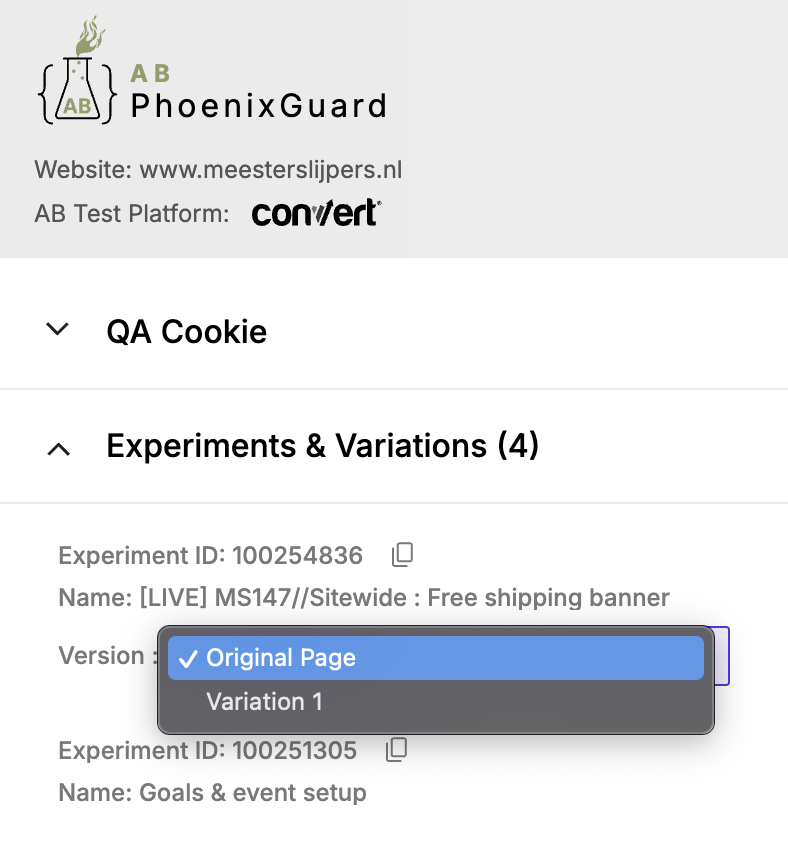
5. Variation Switching
Switch between variations directly from the extension, making it easy to verify each variation without repeated refreshes or cache clearing:
- One-Click Variation Swap: Toggle between variations from the popup UI
- Fast Validation: Confirm the correct variation loads without manual cache work
6. Smart Data Extraction
The extension uses an innovative approach called .optiExtn script injection:
- Detection: Looks for existing
.optiExtnscript tags containing experiment data - Creation: If not found, creates the script tag by extracting data from platform objects (
window.convert,window.optimizely) - Auto-Refresh: Updates experiment data every 5 seconds to ensure accuracy
- MutationObserver: Uses modern browser APIs to detect changes in real-time
Benefits for Different Roles
QA Engineers
- ✓ Faster Testing: Reduce test verification time by 80%
- ✓ Better Coverage: Easily test all variations without manual cookie manipulation
- ✓ Clear Visibility: See all active experiments at a glance
Developers
- ✓ Easier Debugging: Quickly identify experiment-related issues
- ✓ Local Testing: Test variations in development environments
- ✓ Code Verification: Verify experiment implementation is correct
Product Managers
- ✓ Experiment Visibility: See what experiments are running on any page
- ✓ Goal Tracking: Monitor conversion goals in real-time
- ✓ Stakeholder Communication: Easy-to-understand experiment status
Marketing Teams
- ✓ Campaign Verification: Ensure A/B tests are running correctly
- ✓ Performance Monitoring: Track goal conversions
- ✓ Quick Troubleshooting: Identify and fix issues quickly
Future Enhancements
Potential future features could include:
- Other Tool Support: Extend platform detection
- Experiment History: Track experiment changes over time
- Export Functionality: Export experiment data for reporting
- Team Collaboration: Share experiment data with team members
- Analytics Integration: Connect with analytics platforms
Conclusion
AB PhoenixGuard transforms the A/B testing QA workflow from a time-consuming, error-prone process into a streamlined, efficient operation. By providing a unified interface for multiple A/B testing platforms, automatic detection, and powerful QA tools, it empowers teams to verify and debug experiments faster and more accurately.
Whether you’re a QA engineer verifying variations, a developer debugging experiment code, or a product manager monitoring campaign performance, AB PhoenixGuard provides the tools you need to ensure your A/B tests are working correctly.
The extension demonstrates how thoughtful tooling can significantly improve developer and QA workflows, reducing friction and increasing productivity in the A/B testing process.