Overview
To know if we have written the correct CSS, we would need to add our styles to the page. In an HTML file, we can directly link our stylesheets, but for AB testing, as we are adding styles on another site, we can’t just link our styles. Let’s see how we can add and test our applied styles:
Testing tools
AB testing tools like Optimizely, or even extentions like this have a separate section for CSS. You can add the CSS there directly and check the changes on page to test it.
Add CSS using Browser dev tools
Let’s take Google Chrome as a browser example for now but this is almost similar for all browsers.
The Google Chrome browser includes Developer Tools to assist with troubleshooting and debugging your website. There are also tools that allow you to Inspect Elements on a page and edit the CSS live, without affecting the experience for other visitors interacting with your website.
Access Chrome Developer Tools
- Open the Google Chrome browser application on your computer.
- Visit your website and navigate to a page that you want to make changes on.
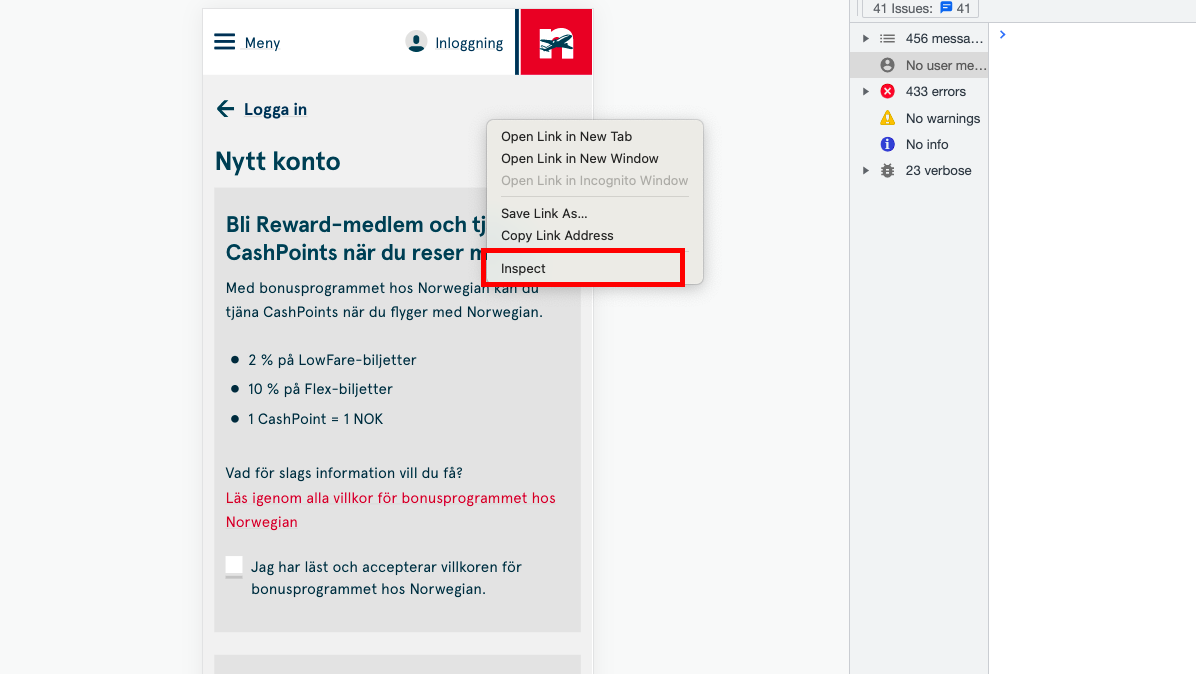
- To open Google Developer Tools, either press the f12 key, or Right-click on an element on your website page and select Inspect.
Inspector Stylesheet
- Open dev tools and inspect any element.
- In the Styles tab, click on the
+icon. -
A new empty style for that is generated and it should have a link for inspector stylesheet on the right.
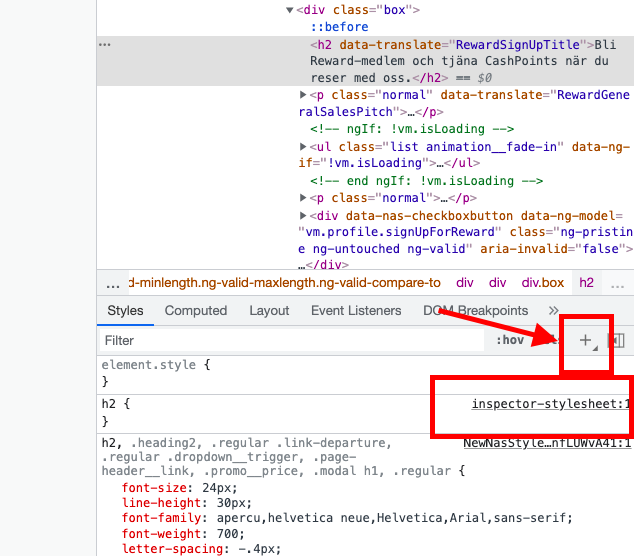
- Click on this inspector stylesheet link.
-
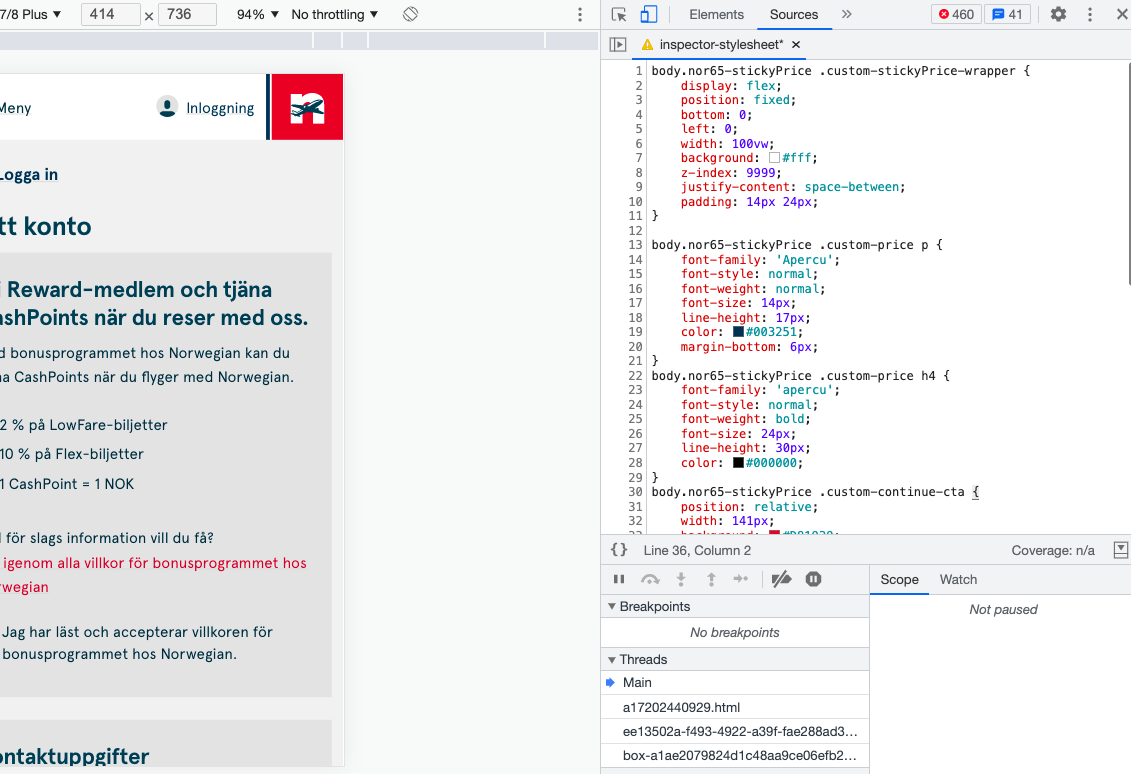
You will be redirected to an almost empty stylesheet inside the Source tab.

- Simply add your whole CSS here to see the live changes.
Add CSS using JavaScript
In some cases we might not be able to use Inspector Stylesheet, or in some cases it may require us to add our CSS through our JS code. Here’s how you can do it:
var mainCSS = 'h2 { padding: 10px; }';

document.head.insertAdjacentHTML('beforeend', '<style>' + mainCSS + '</stle>');
Even though we can’t link our CSS styles but we can add them inside a style tag and insert this style tag as any other HTML tag at the end of the head tag.\
- We save all our CSS as a string inside a variable.
- Add the styles inside a style tag.
- Append the style tag to the end of the head tag.