AB Codeflame Server: A Comprehensive Guide
Overview
AB Codeflame Server is a powerful local development server designed specifically for compiling and serving A/B test experiments. Built with Node.js and Express, it provides a seamless development experience for creating, testing, and iterating on A/B test variations with real-time compilation, live reload capabilities, and automated build processes.
The server acts as a bridge between your experiment source code and browser extensions or testing environments, enabling developers to rapidly prototype and test A/B experiments without manual compilation steps or complex build configurations. It leverages Webpack for modern JavaScript and SCSS compilation, WebSocket for live reload functionality, and Chokidar for intelligent file watching.
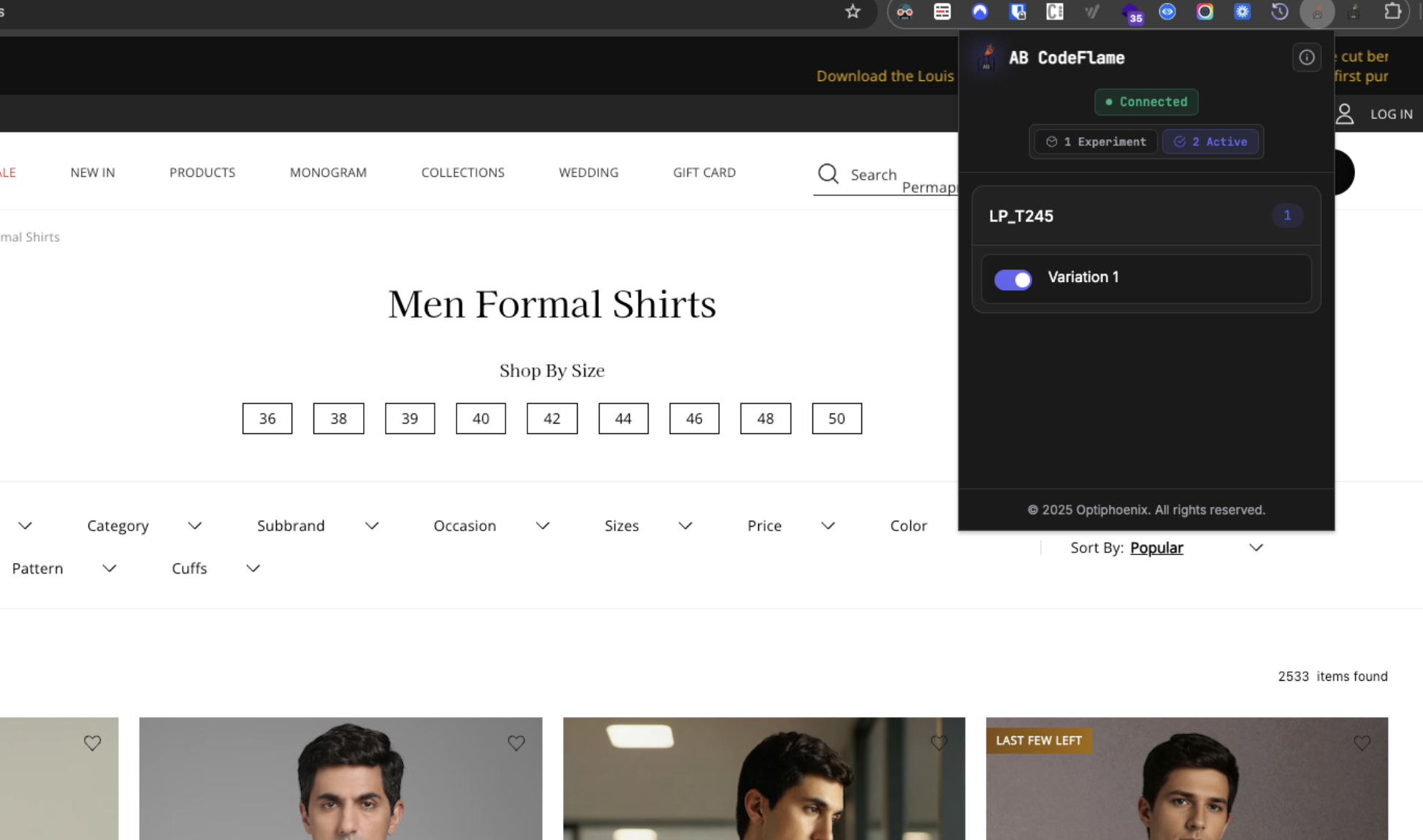
Challenges and Problems It Solves
Before AB Codeflame Server, developing A/B test experiments involved numerous manual steps and inefficiencies. Developers had to manually run build commands with no automatic change detection, often forgetting to rebuild before testing outdated code.
Changes required manual browser refresh with no visibility into compilation errors, making quick iteration difficult. Each experiment needed its own build setup, creating inconsistent processes and a steep learning curve for new team members.
The testing workflow was inefficient, requiring constant switching between terminal, editor, and browser with no unified interface for managing multiple experiments. Browser extensions needed manual configuration for each experiment, and there was no standardized API for experiment discovery or automated linting during development.
The Solution
AB Codeflame Server addresses these challenges by providing an automated compilation pipeline that detects changes and rebuilds instantly, along with WebSocket-based live reload for immediate visual feedback. It offers centralized configuration for all experiments in a single config.json file and a unified API for experiment discovery and file serving. The server includes integrated ESLint for real-time code quality checks, maintains a consistent output structure that works seamlessly with browser extensions, and provides development-friendly features like source maps and beautified code.
Benefits
- Faster iteration: Auto-compile, live reload, and smart file watching remove manual rebuilds and keep the feedback loop instant.
- Consistent quality and output: Standardized webpack pipeline with ESLint, predictable dist structure, and source maps for easy debugging.
- Easy integration: REST API plus stable asset paths make it straightforward for extensions and clients to load experiments and stay updated.
- Production-ready bundles: Minification, modern JS transpilation, and clean asset output keep shipped experiments lightweight and compatible.
- Team-friendly setup: Shared config, repeatable builds, and clear structure make it easy for multiple developers to collaborate without drift.
Architecture
AB Codeflame Server follows a modular architecture with clear separation of concerns:
┌─────────────────────────────────────────────────────────┐
│                   Express Server                        │
│  ┌──────────────┐  ┌──────────────┐  ┌──────────────┐ │
│  │   REST API   │  │ Static Files │  │  WebSocket   │ │
│  │   Endpoints  │  │    Serving   │  │    Server    │ │
│  └──────────────┘  └──────────────┘  └──────────────┘ │
└─────────────────────────────────────────────────────────┘
                        │
                        ▼
┌─────────────────────────────────────────────────────────┐
│              Webpack Compilation Engine                 │
│  ┌──────────────┐  ┌──────────────┐  ┌──────────────┐ │
│  │   Babel      │  │   SCSS/SASS  │  │   PostCSS    │ │
│  │ Transpiler   │  │   Compiler   │  │   Processor  │ │
│  └──────────────┘  └──────────────┘  └──────────────┘ │
└─────────────────────────────────────────────────────────┘
                        │
                        ▼
┌─────────────────────────────────────────────────────────┐
│              File Watcher (Chokidar)                    │
│              Monitors source files for changes           │
└─────────────────────────────────────────────────────────┘
Core Components
-
Server (
server.js)The main Express server that handles:
- REST API endpoints:
/api/experimentsfor experiment configuration - Static file serving:
/dist/*for compiled files,/experiments/*for source files - WebSocket server: Real-time communication for live reload
- File watching: Integration with Chokidar for change detection
- REST API endpoints:
-
Webpack Utilities (
webpack-utils.js)Handles all compilation logic:
- Dynamic webpack configuration: Generates configs based on experiment settings
- Multiple variation support: Compiles individual or all variations
- Build optimization: Minification, code splitting, source maps
- Plugin management: CSS extraction, HTML generation, Terser optimization
-
Configuration (
config.json)Centralized experiment configuration:
- Experiment definitions: IDs, names, domains, paths
- Variation specifications: JavaScript and SCSS file paths
- Build options: Minification, bundling, ESLint settings
- Active/inactive flags: Enable or disable experiments
Output Structure
Compiled experiments follow a clean, predictable structure:
dist/
└── opti-tests/
    └── experiments/
        └── InternalExps/
            └── [Project]/
                └── [ExperimentID]/
                    └── v1/
                        ├── v1.js
                        └── v1.css
                    └── v2/
                        ├── v2.js
                        └── v2.css
Each variation gets its own directory with compiled JavaScript and CSS files, making it easy to reference in browser extensions or testing tools.
Build Modes
Development Mode (minimize: false)
- Unminified, readable output
- Preserved comments and formatting
- Source maps enabled
- Beautified code with proper indentation
- Faster compilation
Production Mode (minimize: true)
- Minified output for smaller file sizes
- Optimized bundles
- Removed comments (optional)
- Production-ready code
Experiment Structure
Each experiment should follow this structure:
experiment-name/
├── src/
│   ├── v1/
│   │   ├── v1.js          # JavaScript for variation 1
│   │   └── v1.scss        # Styles for variation 1
│   ├── v2/
│   │   ├── v2.js          # JavaScript for variation 2
│   │   └── v2.scss        # Styles for variation 2
│   └── components/        # Shared components (optional)
│       └── shared.scss
└── assets/                # Static assets (optional)
    └── images/
How to Setup
Prerequisites
Before setting up AB Codeflame Server, ensure you have:
- Node.js: Version 20 or higher
- npm: Node package manager (comes with Node.js)
- Git: For version control (optional but recommended)
Step 1: Installation
-
Navigate to the server directory:
cd ab-codeflame-server -
Install dependencies:
npm installThis will install all required packages including:
- Express (web server)
- Webpack and related loaders
- WebSocket server
- Chokidar (file watcher)
- Babel and transpilation tools
- SCSS/SASS compilers
- ESLint and linting tools
Step 2: Configuration
-
Edit
config.jsonto define your experiments:{ "version": "1.0", "testDir": "../ABTests", "outputDir": "../ABTests", "autoCompile": true, "experiments": [ { "id": "EXPERIMENT_ID", "name": "Experiment Name", "domains": ["example.com"], "root": "/opti-tests/experiments/InternalExps/Project/EXPERIMENT_ID", "clubJsCss": false, "minimize": false, "generateHtml": false, "ignoreEslint": false, "variations": [ { "id": "v1", "name": "Variation 1", "description": "First variation", "js": "/src/v1/v1.js", "css": "/src/v1/v1.scss" } ], "isActive": true } ] } -
Configuration Options Explained:
testDir: Path to your experiment repository (relative to server directory)outputDir: Path where compiled files will be outputautoCompile: Enable automatic compilation on file changesexperiments: Array of experiment configurationsid: Unique identifier for the experimentname: Human-readable experiment namedomains: Target domains for the experimentroot: Path to experiment files relative totestDirclubJsCss:trueto combine JS and CSS in one file,falsefor separate filesminimize:truefor production minification,falsefor readable codegenerateHtml:trueto generate HTML files from Pug templatesignoreEslint:trueto skip ESLint checkingvariations: Array of experiment variationsid: Variation identifier (e.g., “v1”, “v2”)name: Variation namedescription: Variation descriptionjs: Path to JavaScript file relative to experiment rootcss: Path to SCSS file relative to experiment root
isActive:trueto enable,falseto disable the experiment
Step 3: Create Experiment Files
-
Create the experiment directory structure:
mkdir -p ../ABTests/opti-tests/experiments/InternalExps/Project/EXPERIMENT_ID/src/v1 -
Create JavaScript file (
v1.js):// Your A/B test variation code console.log('Experiment loaded'); document.addEventListener('DOMContentLoaded', function() { // Your experiment logic here }); -
Create SCSS file (
v1.scss):/* Your experiment styles */ .experiment-element { background-color: #ff6b35; color: white; }
Step 4: Start the Server
-
Development mode (with auto-restart on file changes):
npm run dev -
Production mode:
npm start -
Verify server is running:
- Server should start on
http://localhost:3000 - You should see:
Server running at http://localhost:3000 - WebSocket server will be available at
ws://localhost:3000
- Server should start on
Step 5: Test the Setup
-
Test the API endpoint:
curl http://localhost:3000/api/experimentsThis should return your experiment configuration with compiled file paths.
-
Verify compiled files:
ls -la ../ABTests/dist/opti-tests/experiments/InternalExps/Project/EXPERIMENT_ID/v1/You should see
v1.jsandv1.cssfiles. -
Test live reload:
- Make a change to your
v1.jsorv1.scssfile - Watch the server console for compilation messages
- Check that files are automatically recompiled
- Make a change to your
Step 6: Integrate with Browser Extension
-
Connect to the API:
fetch('http://localhost:3000/api/experiments') .then(response => response.json()) .then(data => { // Use experiment configurations console.log(data.experiments); }); -
Set up WebSocket connection (for live reload):
const ws = new WebSocket('ws://localhost:3000'); ws.onmessage = (event) => { const data = JSON.parse(event.data); if (data.type === 'fileChanged') { // Reload experiment or refresh page location.reload(); } }; -
Load compiled files:
// Load JavaScript
const script = document.createElement('script');
script.src = 'http://localhost:3000/dist/opti-tests/experiments/.../v1/v1.js';
document.head.appendChild(script);

// Load CSS
const link = document.createElement('link');
link.rel = 'stylesheet';
link.href = 'http://localhost:3000/dist/opti-tests/experiments/.../v1/v1.css';
document.head.appendChild(link);
Next Steps
After setup, you can:
- Add more experiments: Update
config.jsonwith additional experiment configurations - Create multiple variations: Add v2, v3, etc. to test different approaches
- Configure for production: Set
minimize: truefor optimized builds - Set up CI/CD: Integrate server into your deployment pipeline
- Customize build process: Modify webpack configuration in
webpack-utils.js
Conclusion
AB Codeflame Server revolutionizes the A/B testing development workflow by eliminating manual compilation steps, providing real-time feedback, and offering a seamless integration experience. Whether you’re developing a single experiment or managing dozens of variations, this server provides the tools and automation needed to iterate quickly and maintain code quality.
With its intuitive configuration, powerful webpack integration, and live reload capabilities, AB Codeflame Server enables developers to focus on what matters most: creating effective A/B test experiments that drive business results.
Additional Resources
- GitHub Repository: [Link to repository]
- Documentation: See
README.mdfor detailed API documentation - Demo Script: See
demo-script.mdfor a guided walkthrough - Setup Script: Run
demo-setup.shfor automated demo environment setup