Overview
Code that works will always be the top-most priority, but it is followed up by readability and understandability. Consistency plays a big role in that.
Consistency isn’t just needed in the code we write but across platforms for easier understanding, and that includes our code repositories as well. Whether you’re using the default terminal, or a Git GUI client, let’s follow the same convention as shown below.
Purpose of commit messages
git commit is used to record changes to the repository. The commit messages describe these changes. A good commit message communicates to other developers what/why change was made.
Here’s an example of bad commit messages. Do these seem helpful?

New Syntax
Here’s the syntax you should follow for your commit messages:
Campaign-Id: [change type] description…
Let’s have a look at a few examples of each type of commit.
Initial Commits
git commit -m 'FFT58: campaign added'
git commit -m 'DOM 6.18: v1 added'
git commit -m 'AWA-2089: basic logic added'
Update
git commit -m 'DOM 6.18: [update] v2 styles added'
git commit -m “JBT7: [update] filter position changed'
git commit -m “Harrods-018 Gift Promotion: [update] retina images added'
Bug Fix
git commit -m 'DOM 5.17: [bug fix] IE compatibility fixed'
git commit -m 'SUBT30: [bug fix] v1 footer not visible'
UAT Fix
git commit -m ‘ART009: [uat fix] butter bar z-index++'
git commit -m ‘Samsung-192: [uat fix] heading font size and spacing to match figma’
Rework
git commit -m FFT58: [rework] new tooltip added'
git commit -m 'AWA-2089: [rework] model api request changed'
Multiple Changes in Commit
In case of multiple fixes or reworks in same commit, you can combine the details like the following example.
git commit -m 'AWA-2089: [rework] model api request changed
    [bug fix] model not visible
    [bug fix] Safari font issue fixed'
Check previous messages
You can check previous logs using the following command:
git log or git log --oneline
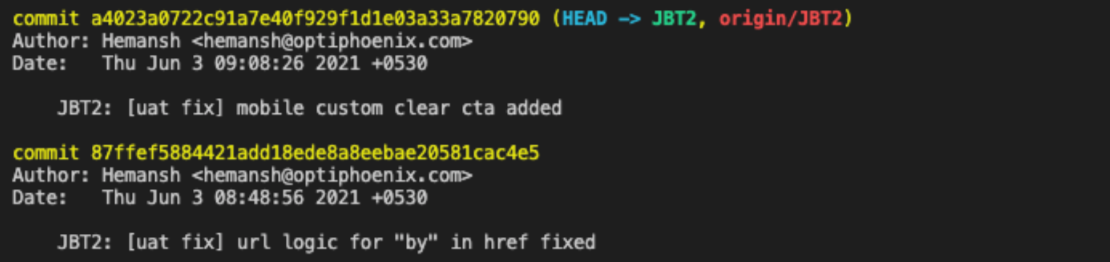
Amend previous commit
Forgot to add something in your last commit? Made some mistake in the commit message?
You can always fix the previous commit by the following:
- Staging any new changes that were left out (make sure files are saved and stage them using “git add” command)
git commit --amend -m "New commit message"